USB-C Hub vs Docking Station: Which One for Your Laptop?
Modern laptops come with fewer ports than ever — often just 2-3 USB-C ports. A hub or docking station is essential, but which one? Hubs are compact and cheap. Docks are powerful and expensive. This guide breaks down the real differences so you pick the right one without wasting money on features you don't need.
Decidi senza scorrere
Get a USB-C hub if you travel frequently, use a single external monitor, and need basic port expansion.
Hub USB-C
Pro
- + Compatto e portatile
- + Economico (15-40 $)
- + Plug-and-play, senza driver
- + Ideale per viaggiare
- + La maggior parte ha HDMI, USB-A e lettore SD
Contro
- − Alimentazione limitata (60-85 W)
- − Niente Ethernet sui modelli economici
- − Può surriscaldarsi con un uso intenso
- − Cavo corto (10-20 cm)
- − Niente DisplayPort sulla maggior parte dei modelli


Docking station
Pro
- + Alimentazione completa (100 W e oltre)
- + Supporta due o tre monitor
- + Ethernet Gigabit integrato
- + Più porte (USB-A, USB-C, audio)
- + Resta sulla scrivania, un solo cavo al portatile
- + Migliore dissipazione e qualità costruttiva
Contro
- − Costosa (60-200 $)
- − Ingombrante, non si porta in giro
- − Serve un alimentatore esterno
- − Esagerata per un solo monitor
- − Potrebbe richiedere driver specifici
Docking station su AliExpress

UGREEN Uno USB C HUB 6-in-1 4K60Hz PD100W 10Gbps USB3.2 Adattatore splitter per laptop MacBook Pro Air Docking station per espansore USB
€20.16
Dettagli e simili →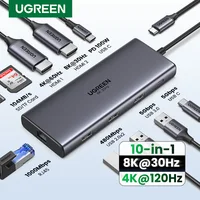
UGREEN Doppio HDMI USB-C HUB 8K 4K Adattatore HDMI 10 in 1 Splitter con RJ45 USB3.0 PD 100W Dock per MacBook Pro Air Laptop USB HUB
€10.74
Dettagli e simili →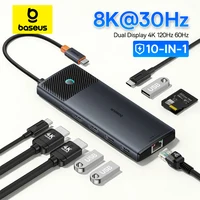

Verdetto
Get a USB-C hub if you travel frequently, use a single external monitor, and need basic port expansion. Get a docking station if you have a permanent desk setup, use dual monitors, need Ethernet, and want to connect/disconnect with one cable. Many people use both: a hub for travel and a dock for the desk.
Pronto a decidere? Il prossimo passo
Guarda le offerte attive, i prezzi e i prodotti simili per entrambe le opzioni:
FAQ
Can I use a USB-C hub with a docking station?
No — you wouldn't need to. A dock already does everything a hub does and more. If you have a hub and need more ports, upgrade to a dock instead of stacking them.
Does a USB-C hub charge my laptop?
Some do — via USB-C Power Delivery (PD). Check the hub's PD rating: 60W is enough for most ultrabooks, 85-100W for larger laptops. Without PD, the hub is data-only and you'll need a separate charger.
Continua a esplorare
Ancora indeciso?
Continua a scoprire prodotti senza lasciare il sito.