Bien-être au Bureau : Ce Qui Change Vraiment Après Huit Heures
Les douleurs de fin de journée viennent presque toujours de trois choses : un écran trop bas, des avant-bras sans appui et un écran lumineux dans une pièce sombre.
1. Screen height — the cheapest fix there is
The top line of the screen should sit at eye level or just below. Looking down means your neck holds the weight of your head at an angle all day. A clamp monitor arm ($12-25) fixes it and frees the desk; a fixed riser ($6-12) does the same job without the adjustability. On a laptop it matters most — a stand ($8-15) plus an external keyboard and mouse is the difference between a temporary perch and a workstation.
The picks from this guide
Live AliExpress prices, quality-filtered.
 -10%
-10%NB NOUVEAU H180 Support de bureau pour PC à double moniteur 17'-27' à mouvement complet, bras à ressort à gaz, support de télévision LCD 2-9kg 200X100
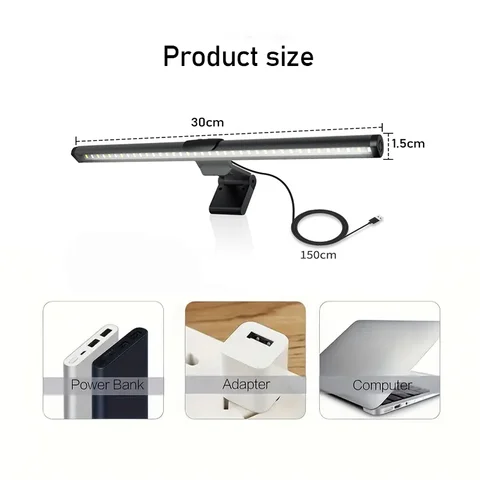
30CM LED lampe de bureau moniteur barre lumineuse soins des yeux gradation continue éclairage lampe de Table moniteur d'ordinateur écran lumière pour le travail jeu

Repose-Bras Ergonomique à Pince pour Bureau, Support Rotatif pour Poignet et Avant-Bras Sans Perçage

Repose-pieds ergonomique réglable à placer sous le bureau, avec rouleaux de massage, pour soutenir les jambes au bureau et soulager la douleur, repose-pieds confortable pour la maison.

2. Support for forearms and wrists
Forearms hanging in the air mean the shoulders carry them all day. A clamp-on forearm support ($10-20) moves that load from your shoulder to the desk. A gel wrist rest ($4-8) helps only if it sits level with the key tops — one that is too tall bends the wrist upward and makes things worse. If you type a lot, a low-profile keyboard beats a thick rest.
3. Lighting — the part most people skip
A bright display in a dark room forces your pupils to readjust every time you glance away. A monitor light bar ($15-30) lights the desk without throwing glare back, and it is the one change most people notice the same evening. Bias lighting behind the screen ($8-15) cuts the contrast between display and wall. Neutral white, around 4000K, is easier to work under than warm yellow.
4. Feet and seating
If your feet do not reach the floor comfortably, the pressure moves to your thighs. A footrest ($10-20) costs far less than a new chair and solves it. A memory-foam seat cushion ($12-25) improves a mediocre chair more than swapping it for another mediocre chair. A lumbar support ($8-18) only works at the right height — under the ribs, not mid-back.
What not to buy first
A powered standing desk is usually the first thing people buy and the last thing they needed. If the screen is at the wrong height, it stays at the wrong height standing up. Same for a gaming chair — the tall back looks supportive, but the cheap models are firm foam in a racing shape. Fix height, support and light first, then decide whether anything is still missing.
FAQ
Is a split ergonomic keyboard worth it?
If you have wrist pain, yes — it changes the forearm angle. Without pain, expect a week or two of slower typing while you adapt, for a benefit you may not notice. Start with a low-profile keyboard and a screen riser.
Will a monitor arm hold a 27-inch display?
Most budget arms are rated to 8 kg and hold a 27-inch fine. Two things to check: your desktop thickness (clamps usually top out around 8 cm) and the VESA pattern — 100x100 is common, but some monitors need an adapter plate.
What does the whole thing cost?
A riser or arm, a forearm support, a light bar and a footrest come to roughly $50-80 together. That is less than one mid-range office chair, and it addresses the causes rather than the symptoms.
The picks from this guide
Live AliExpress prices, quality-filtered.
-10%NB NOUVEAU H180 Support de bureau pour PC à double moniteur 17'-27' à mouvement complet, bras à ressort à gaz, support de télévision LCD 2-9kg 200X100
30CM LED lampe de bureau moniteur barre lumineuse soins des yeux gradation continue éclairage lampe de Table moniteur d'ordinateur écran lumière pour le travail jeu
Repose-Bras Ergonomique à Pince pour Bureau, Support Rotatif pour Poignet et Avant-Bras Sans Perçage