Portable Monitor vs Tablet as Second Screen: Which Extends Better?
Single-screen laptop life is painful for real work. A portable monitor gives you a true second display. A tablet with Sidecar/Spacedesk/Duplicam gives you a second screen you already own. Both are ~$150-300. Here's the breakdown.
Decide above the fold
Get a portable monitor for color-critical work, gaming, console use, or zero-setup reliability.
Portable Monitor
Pros
- + True plug-and-play (USB-C/HDMI)
- + No drivers/software needed
- + Better color accuracy (sRGB 100%+)
- + Lower latency
- + Works with any device (console, phone)
- + No battery to charge
Cons
- − Extra device to carry
- − Needs USB-C power delivery or wall plug
- − Flimsy stands on cheap models
- − Single use purpose
- − 15.6" most common — bulky in bag
Shop Portable Monitor on AliExpress

14inch Portable Monitor Touch Ultra-thin 1200P IPS USB-C HDMI External Second Screen for Laptop PC Cell Phone Switch PS4/5 Xbox
€35.89
Details & similar →
UPERFECT 21.4" Portable Monitor 100Hz 1080P FHD VA Freesync HDR 120%sRGB USB-C HDMI Plug And Play Gaming Screen External Display
€170.89
Details & similar →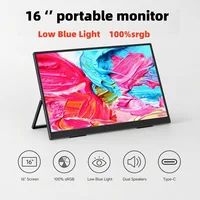

Tablet as Monitor
Pros
- + Device you already own
- + Touch input bonus
- + Great color (iPad/OLED Android)
- + Multi-use when not a monitor
- + Wireless options (Sidecar, Spacedesk)
- + Built-in stand (cases)
Cons
- − Latency on wireless (20-100ms)
- − Color management varies
- − Drains tablet battery fast
- − Software setup required
- − Limited to specific ecosystems (Sidecar = Mac+iPad)
The Verdict
Get a portable monitor for color-critical work, gaming, console use, or zero-setup reliability. Use a tablet as a second screen if you already own one, need touch, or travel ultra-light with just laptop+tablet. Many pros carry both: portable for main work, tablet for reference/slack.
Ready to decide? Your next step
See live deals, prices and similar products for each side of the comparison:
FAQ
Can I use an iPad as a second monitor for Windows?
Not natively — Sidecar is Mac-only. Use Spacedesk, Duet Display, or Splashtop Wired XDisplay (USB) for Windows+iPad. Latency is higher than native Sidecar.
Do portable monitors need external power?
Most 15.6" need USB-C PD (Power Delivery) from laptop or wall charger. Some 13-14" run on laptop USB-C alone. Check your laptop's USB-C wattage (15W+ recommended).
Keep exploring
Not decided yet?
Keep discovering products — without leaving the site.