Kindle vs Tablet for Reading: E-Ink vs LCD — Which Saves Your Eyes?
Reading on a phone works — until your eyes burn and notifications derail you. Dedicated e-readers (Kindle, Kobo) use E-Ink that mimics paper, while tablets (iPad, Fire, Android) do everything but strain eyes faster. This guide helps you pick based on how you actually read.
Decide above the fold
Buy a Kindle if you read 30+ minutes daily, mostly novels/text, and want zero eye strain.
Kindle (E-Ink)
Pros
- + Zero glare — reads like paper
- + Weeks of battery life
- + Lightweight (160-230g)
- + Waterproof models available
- + Library sync across devices
Cons
- − Slow page turns
- − No color (mostly)
- − Limited apps
- − Can't read PDFs well
- − Need separate device
Shop Kindle (E-Ink) on AliExpress
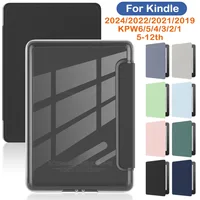
Acrylic Case for Kindle Paperwhite Colorsoft 2024 2022 2021 2 3 6 10th 11th 12th Generation 6 6.8 7 Inch Protective Cover Pouch
€6.69
Details & similar →
Case for Kindle 2024 2022 2021 Paperwhite Colorsoft 1 2 3 5 6 10 11 12th Generation 6 6.8 7 Inch Accessories Pouch Cover Funda
€6.18
Details & similar →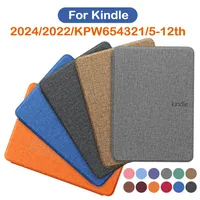

Tablet (LCD/OLED)
Pros
- + Full color — comics, magazines
- + Multi-purpose (video, web, apps)
- + Fast, responsive
- + PDFs render perfectly
- + One device for everything
Cons
- − Eye strain after 30-60 min
- − Glare in sunlight
- − 4-10 hour battery
- − Heavy (400-600g)
- − Constant notifications
Shop Tablet (LCD/OLED) on AliExpress

SanDisk Memory Card MicroSD 32GB 64GB 128GB 256GB 512GB 1TB micro SD Card Extreme TF Card Class10 U3 V30 4K UHD A2 micro SDXC
€14.89
Details & similar →
Micro Memory SD Card 128GB 32GB 64GB SD Card SD/TF Flash Card 4GB 8GB 16GB 256GB Class 10 Memory Card For Phone
€3.57
Details & similar →
The Verdict
Buy a Kindle if you read 30+ minutes daily, mostly novels/text, and want zero eye strain. Buy a tablet if you read comics, magazines, PDFs, or want one device for everything. Many avid readers own both: Kindle for books, tablet for graphic content.
Ready to decide? Your next step
See live deals, prices and similar products for each side of the comparison:
FAQ
Can I read Kindle books on a tablet?
Yes — the Kindle app works on iOS, Android, and Fire tablets. You get sync, highlights, and notes. But you lose the E-Ink eye comfort and battery advantage.
Is the Kindle Paperwhite worth it over the basic Kindle?
Yes — the front light lets you read in bed without a lamp, 300 PPI is noticeably sharper, and it's waterproof. The basic Kindle has no light and 167 PPI.
Keep exploring
Not decided yet?
Keep discovering products — without leaving the site.