Standing Desk Setup: Ergonomics, Accessories & Mistakes to Avoid
A standing desk alone won't fix your posture. Without proper ergonomics, standing can cause *more* problems than sitting. This guide covers the complete setup: monitor position, keyboard/mouse height, floor support, and the accessories that make standing sustainable.
Monitor: Top at Eye Level
Center of screen 15-20° below horizontal gaze. Use monitor arm ($30-80) or riser. Laptop users: external keyboard + laptop stand mandatory.
The picks from this guide
Live AliExpress prices, quality-filtered.
 -16%
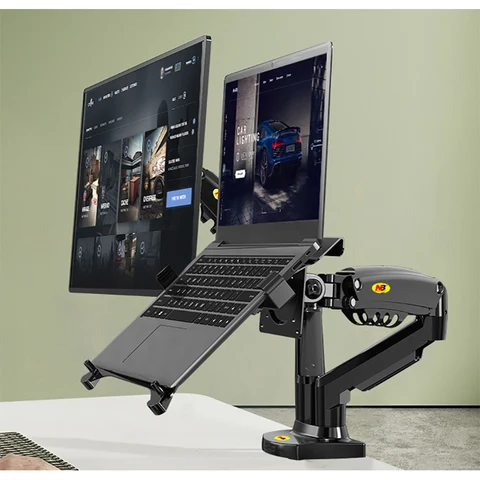
Desktop NB F160 + FP-2 Gas Spring Dual Arm for 17"-27" Monitor Holder + 10"-17" Laptop Support Air Press Mount Stand Load 2-9kg

New Anti-Fatigue Standing Mat, Kitchen Mat with PVC Waterproofing, Non-Slip Kitchen Rug for Standing Desk, Kitchen, Office

Clamp-On Keyboard Tray Under Desk, No Drill Pull-Out Keyboard Holder, 20kg Load Adjustable Desk Mount Keyboard Slider

Keyboard/Mouse: Elbows at 90-100°
Forearms parallel to floor. Wrists neutral. Keyboard tray or adjustable desk surface. Negative tilt (front lower) reduces wrist extension.
Feet: Anti-Fatigue Mat + Supportive Shoes
Hard floors destroy feet/back. 3/4" mat ($30-60) + running shoes or clogs. No barefoot, no dress shoes. Shift weight every 10-15 min.
Cable Management: Vertical Channels
Cables tugging monitors = constant micro-adjustments = neck strain. Use cable chain ($15) or zip-tied sleeve along desk leg. Power strip mounted under desk.
FAQ
How long should I stand at first?
15 min/hour. Add 5 min/week until 30-45 min/hour. Goal: movement, not standing still. Sit when fatigued.
Do I need a monitor arm?
Highly recommended. Fixed stands rarely hit the sweet spot. Arm lets you pull monitor closer (reduces eye strain) and adjust for sitting/standing height difference.
The picks from this guide
Live AliExpress prices, quality-filtered.
-16%Desktop NB F160 + FP-2 Gas Spring Dual Arm for 17"-27" Monitor Holder + 10"-17" Laptop Support Air Press Mount Stand Load 2-9kg
New Anti-Fatigue Standing Mat, Kitchen Mat with PVC Waterproofing, Non-Slip Kitchen Rug for Standing Desk, Kitchen, Office